




Scheduling & bookings
Share your booking link, the visitor chooses real hole, answers questions and confirms it. You receive the date in calendar, in CRM and — if you want — with a charge before closing.
Try a reservationYour calendar gets paid without chasing invoices
Miguel sells 1:1 mentoring sessions. He publishes his page at /agendas with price, duration and video call included. When someone books and pays, the contact lands in /crm with source “booking” and the Meet link goes out automatically — no copy-pasting links by hand.
How it works in practice
Set up your booking page
Define slots, duration, price and whether payment is required upfront or the session is free.
Share the link
Embed it on your site, in email or on LinkedIn — prospects pick a time without back-and-forth.
Confirm and connect
On booking, CRM creates the contact, sends confirmation and the video link when applicable.
Follow up after the session
From the contact record, launch a sequence in /automation or move the deal in /crm.
What you can do
Booking pages with team scheduling, optional payment and video calls — every appointment feeds CRM automatically.
Publish your reservation page
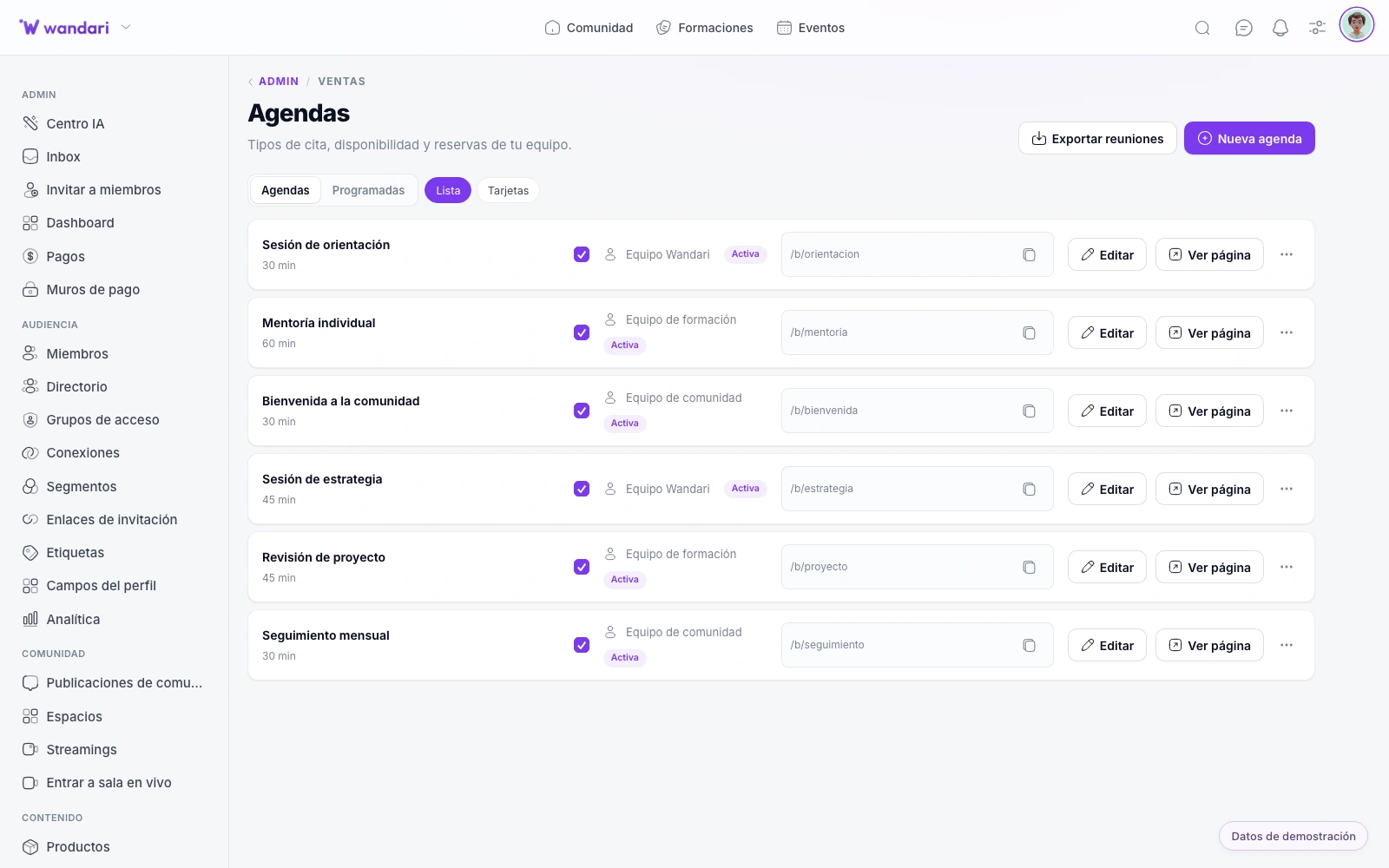
Each agenda has its link in /b/tu-agenda. The visitor sees real holes, answers questions and confirms in seconds. You can request data before showing schedules.
Send a video call or calendar
Generate live room, zoom or own link on each date. The student receives an email with an ICS invitation or the event is created in the host's Google Calendar.
Share dates in your team
Add co-hosts with round-robin rotation. Sync Google Calendar and ICS to not offer busy holes. Reservations per day and date exceptions.
Cover the session when booking
Paywall by agenda. The visitor pays with Stripe and the date is confirmed instantly, with a personalized success message.
Things that feed your business
From the first click to the session, without losing contact
Set up each agenda
Hours, hosts, questions, payments and booking flow in a panel. You see confirmed dates, edit details and send up-to-date invitations.
Reprogram and cancel
Students reschedule or cancel appointments through their own links. The confirmation at /confirmado shows the details without exposing sensitive data.
Automated CRM
Each book creates contact and opportunity. Export upcoming meetings or full history for commercial follow-up.
Less friction to book
Clients pick a slot in seconds — no more “does Tuesday at 5 work?”.
Get paid when they book
Connect payments so the session is paid before Google Meet starts.
CRM stays current
Every booking creates or updates the record with source, date and session history.
See it in Wandari
Frequently asked questions about agendas
Last updated: November 2026
Ready to get started?
Build your online academy with courses, community, payments and CRM in one place.
Try now