




Knowledge base
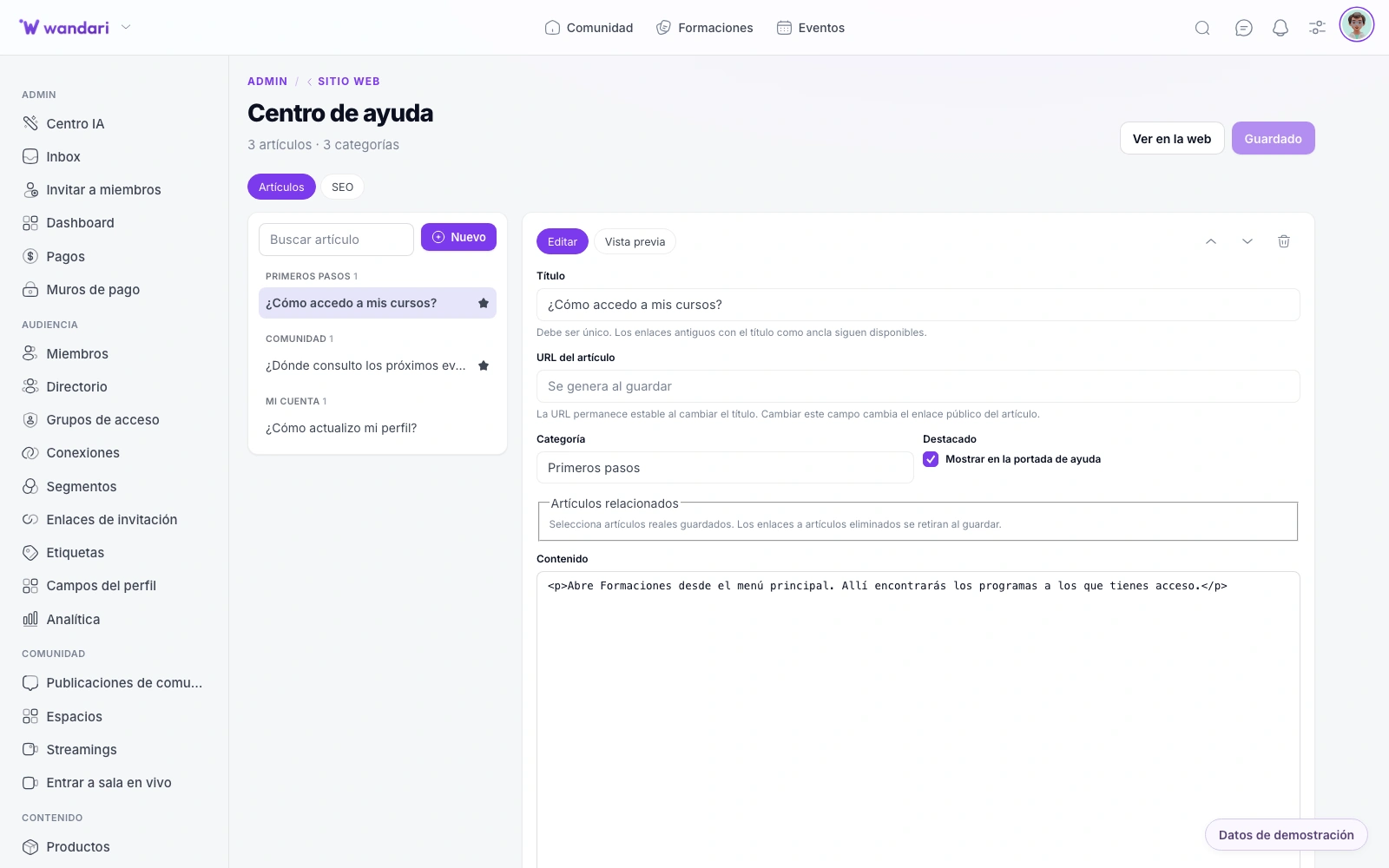
Publish a help center at /ayuda with articles organized by category and integrated search. Students and customers can find answers themselves; you edit everything from the CMS without touching code.
See the Help CenterFewer repeat tickets, more self-sufficient students
Before opening a chat, a student searches /ayuda for “how do I access module 2?” and finds the article with screenshots. Your team edits categories from the CMS; frequent questions stop flooding support every Monday morning.
How it works in practice
Structure categories
Group articles by onboarding, billing, technical help or community based on what people ask most.
Publish step-by-step guides
Write from the CMS with images and internal links to courses or checkout.
Link from the app
Help menu and AI assistant point to real articles in your knowledge base.
What is missing
Track searches with no results and turn them into priority new articles.
What you can do
Help center on your domain with search, categories and editable articles — integrated with site and CRM.
Publishing support articles
Write guides, FAQs and tutorials from the visual CMS. Each article lives in your domain with the same design as your website and academy.
Instant search
Your users find answers when writing in the help center search engine — without waiting for you to answer them by email or chat.
Organized by categories
Group articles by topic (payments, access to the course, webinars, affiliates...) so that each person reaches the right answer in a few clicks.
Edit without a developer
Update texts, add captures and publish changes at the moment. You don’t need any other documentation tool apart from Wandari.
Less tickets, more time to teach
Supporting your academy
Integrated in your website
The help center shares domain, brand and navigation with your site — it doesn’t look like a Zendesk alien to your academy.
I know your articles.
The support chatbot can be backed on your knowledge base to answer frequent questions 24 hours.
The same experience for students
Anyone who is already within the platform accesses the help with their login — without creating another account or leaving your ecosystem.
Self-service 24/7
Clear answers without waiting on your team — ideal for global cohorts.
Fast search
Students find the guide in seconds from /ayuda or the support widget.
Editable without code
Marketing and support update copy in the CMS, not via dev tickets.
See it in Wandari
Frequently asked questions about base de conocimiento
Last updated: November 2026
Ready to get started?
Build your online academy with courses, community, payments and CRM in one place.
Try now