




Social media
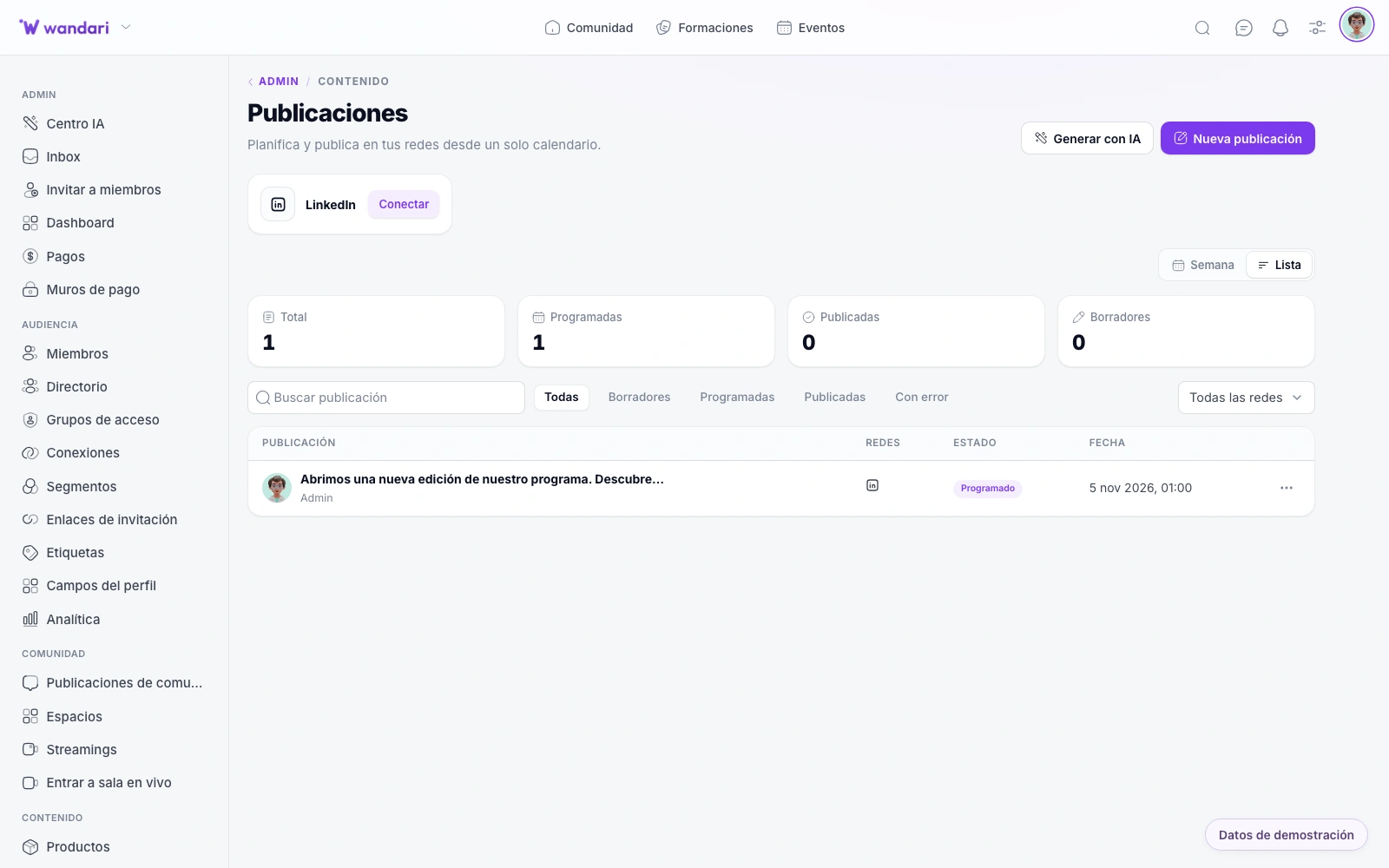
Create posts, select networks and program date and time from /social-media. Today we publish on LinkedIn, Instagram, X (Twitter) and YouTube — several connected accounts, unique calendar and metric where the API allows it.
Program my first postPublish on LinkedIn and Instagram from /social-media
Your team schedules launch posts and clips from the latest live without opening four apps. Authorized students contribute from /social-content; everything is logged and you reuse central media library assets in each piece.
How it works in practice
Connect accounts
LinkedIn, Instagram, X or YouTube with publication permits.
Draft and schedule
Editorial calendar with drafts and publish dates.
Reuse assets
Images and video from the media library in one click.
Delegate to students
Roles at /social-content for UGC without sharing passwords.
What you can do
LinkedIn, Instagram, X and YouTube — publish and program from a media-connected panel and CRM.
Supported networks: LinkedIn, Instagram, X and YouTube
LinkedIn — text, image, article and engagement metrics. Instagram – posts with image or video. X (Twitter) — text and image publications. YouTube – videos (requires a video file) Choose one or more networks per publication.
Program with Calendar
Choose date, time and time zone; the chron only publishes — keep constant presence without being attached to the mobile.
Connecting your own accounts
OAuth per user: personal profile, company page on LinkedIn, Instagram Business or YouTube channel — each admin, student or team member with their credentials.
Publisher for students and team
Admins use /social-media; students and authorized roles can publish to the same networks from /social-content — ideal for personal-brand challenges within your program.
See what you posted and how it was released.
History of posts, state (border, programmed, published) and metrics where the API allows it — especially on LinkedIn.
Distribution without another subscription
Content, Academy and CRM in the same stack
Accelerate the copy
Write captions from the AI Center or reuse fragments of your blog and emails — coherence between channels.
The centralized media
Submit images and videos to the media manager and reuse them in posts, web and newsletters.
Automatic schedules
Publishing in background every few minutes — without Zapier or manual reminders on the mobile calendar.
Fewer apps open
Multi-network scheduling from a single panel.
Unified calendar
Weekly view of organic content and launches.
and secure collaboration
Students and team publish with permissions, not shared logins.
See it in Wandari
Frequently asked questions about redes sociales
Last updated: November 2026
Ready to get started?
Build your online academy with courses, community, payments and CRM in one place.
Try now